

Digital overwhelm is real. We live in a world that constantly tells us to do more, buy more, and add more. Websites, CRMs, newsletters, analytics dashboards… it’s endless. Every day, someone tells you, “You need this. Everyone’s using that.” And the temptation is real: add everything, do everything, keep up with everyone.
Here’s the truth: piling on tools without knowing what you’re doing doesn’t make your business faster or smarter. It slows you down.
Take websites. We helped friends recently make sense of a website someone built for them. It took three full days just to figure out the structure. Three days. Now imagine trying to update it without any training. Chaos.
Or CRMs. One friend said, “I need a CRM because everyone has one.” When I asked what it actually did… crickets. Installing tools blindly is like planting seeds and walking away. You won’t see much growth….
Digital tools aren’t magic. They’re only useful if they’re understandable, manageable, and actually help your business. That’s why the smarter approach is to start small with digital tools.
Ready to Grow Your Digital Garden?
Stop juggling tools that don’t work together. Plant the seeds that matter, nurture what grows, and watch your business flourish. Start small, stay smart, and explore our blogs for more tips.

Think of Your Tools Like a Garden
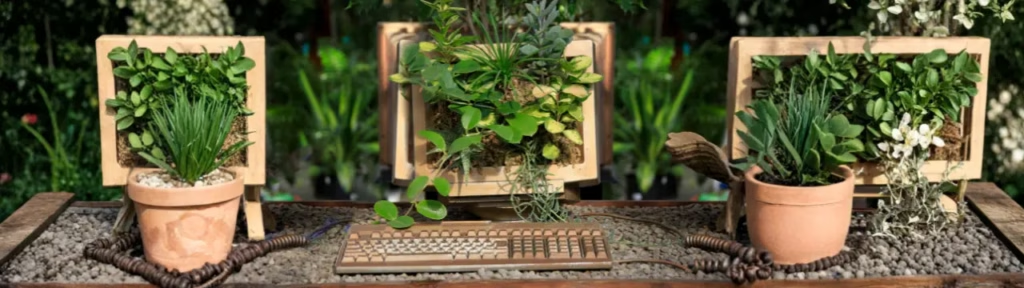
You can’t plant every seed at once. You can’t expect every seedling to thrive if the soil isn’t ready. Overcrowd the garden and you get chaos, not growth.
Starting small means:
- Plant manageable seeds first. Pick the tools you actually need. One website system, one CRM, one email tool—whatever’s essential for you and your business. Let´s plant the tomatoes before trying to grow a whole orchard…
- Nurture what works. Learn the basics, make sure your tools support real business goals, and ensure they don’t fight each other.
- Grow gradually. Once your foundation is solid, add more tools slowly. Ask yourself: does this help me, or is it just noise?
A chaotic garden produces weeds. A well-tended garden grows fruits, vegetables, flowers. The same goes for your digital setup. Start small, care for what you have, and expand only when it makes sense.
A Simple Checklist to Start Small with Digital Tools

Before adding anything new, ask yourself:
- Can I log in and actually use/update my [insert tool/platform] without help?
- Does this tool support a real business goal?
- Do my tools work together? Or at least not fight each other?
- Can I maintain this setup weekly without chaos?
- Could I train someone else to use it if needed?
If the answer is “no” to any of these, it’s too much. Start smaller. Learn what works. Get control first.
Why this matters
Complexity doesn’t help. It frustrates, slows decisions, and makes even small updates feel impossible. Starting small with digital tools isn’t about doing less; it’s about doing things better.
Your tools should feel like a garden you can manage. Not a jungle you can’t enter nor navigate. Plant thoughtfully. Nurture consistently. Grow gradually.
FAQs
Everything you need to know about starting small with your website and digital tools. Can’t find an answer? Get in touch →
What does “start small with digital tools” mean?
It means focusing on the features and tools you actually need and can manage, rather than trying to implement everything at once. Simplicity first, expansion later.
Why is starting small better than going all-in?
Complexity without clarity leads to confusion, wasted time, and frustration. Starting small allows you to understand your systems and use them effectively before scaling.
How do I know if my website or tool setup is too complex?
If it takes more than a day or two to understand how it works, if multiple logins are required, or if features go unused, your setup is likely too complicated.
Can I expand my digital tools later?
PAbsolutely. Start with a solid, manageable foundation, and add features gradually as your team or business grows.
What’s a simple first step to start small?
Identify the key tasks your website or tools need to support. Focus on features that directly help with those tasks, and ignore the rest for now.






Leave a Reply